








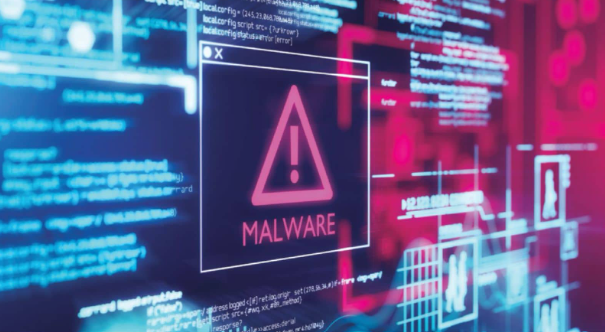
When digital threats constantly change their code to stay hidden, security tools must look past appearances to keep systems safe.
Imagine a burglar who changes their face, clothing and fingerprints every single time they attempt a break in. In cyberse-curity, this digital chameleon is known as polymorphic malware. Paired with Al, it has become one of the most sophisticated threats facing connected devices today.
The Digital Chameleon
Traditionally, antivirus software worked much like airport security check-ing a photo ID. Security tools maintained a massive database of known malicious file 'signatures'. If a file matched an entry in the database, it was instantly blocked.
Polymorphic malware breaks this sys-tem by constantly rewriting its own under-lying code while keeping its core objective the same. When combined with Al tools, the software becomes terrifyingly dynamic.
An example is BlackMamba, a proof of-concept created by researchers to high-light this threat. Each time BlackMamba runs on a device, it quietly queries an on-line Al engine to regenerate its keylogging script. Because the Al produces new code on the fly, the resulting file has a unique digital signature every time. It can log key strokes and siphon passwords, and send them to the attacker via harmless channels like Slack or Microsoft Teams - all without triggering conventional security alarms.
Real-world infostealers use similar methods. Malware such as Lumma use polymorphic tricks to target everyday us ers, stealthily harvesting saved browser passwords and cryptocurrency wallet cre-dentials, then silently erasing their tracks.
Fighting Back
Because checking a file's digital ID no longer works, cybersecurity experts have completely altered their defence strategy. Rather than scanning at what a file looks
like, modern security software focuses on what it does. These defences include:
Behavioural Detection Endpoint Detec-tion and Response (EDR) systems act like vigilant security guards watching live activ-ity. Even if malware changes its appearance, it still performs telltale actions like stealing passwords or accessing sensitive memory. If a simple text editor suddenly tries to modi-fy system files or send data to an unknown server, EDR flags and stops it immediately.
Al-Powered Defence Security engineers now fight Al with AI. Defensive Al models analyse millions of system events per sec-ond, spotting suspicious patterns instantly, and stopping shape-shifting threats before they can execute.
Staying safe online requires simple habits: keep your device software updated, enable multi-factor authentication, and re-main cautious of unexpected downloads.
Stay Safe Online
With so much personal data floating around online, a few habits go a long way toward keeping you safe.
Lock Down Accounts Basic passwords are no longer enough. Use long, unique passwords stored in a password manager like 1Password or Bitwarden, and enable multi-factor authentication - preferably via an authenticator app or hardware key like YubiKey, rather than SMS. This way, even if a credential leak exposes one of your pass-words, unauthorised access to your banking, email and social accounts remains blocked.
Guard Your Data Footprint Minimising the personal details you share online sig-nificantly reduces your exposure to identity theft and targeted phishing. Privacy tools like Apple's Hide My Email or DuckDuck-Go Email Protection prevent your real ad-dress from being exposed in site breaches. For public Wi-Fi, services like NordVPN encrypt your active web traffic. Also, peri-odically opting out of data broker databases via services like Delete Me removes exposed contact details and home addresses from public directories.
Spot Phishing & Automate Defence Mod-ern phishing attacks use sophisticated social engineering and Al-generated mes-sages to mimic banks or delivery services. Always verify suspicious links through of-ficial apps or direct websites rather than clicking emailed links. Keep smartphone operating systems updated automatically and enable built-in safeguards like Google Safe Browsing, or iOS Lockdown Mode if you're facing a heightened digital threat.


 Ren Ecosystem